Are you a developer with a plugin or theme hosted on the WordPress Repository (or elsewhere), and you want to support ClassicPress as wel? Great, we encourage developers to add support for ClassicPress to their WordPress plugins and themes!
This document will give you all the info you need in order to properly support ClassicPress.
In a previous version of this document we gave different instructions for blocks and for functions. Because this makes things unnecessarily complicated, we decided to simplify the instructions.
HeadersLink to this section
ClassicPress version 2 is based on the WordPress 6.2 branch, so the Requires at least header in your main plugin file or theme file style.css (and your readme.txt file) must be WordPress 6.2 or lower. Otherwise you cannot install nor update the plugin or theme in ClassicPress.
If your plugin or theme requires blocks, has a block-related function, or has a function that requires WordPress 6.3 or higher, it will not work in ClassicPress. For more info see the Blocks and functions section below. As soon as your plugin or theme does support ClassicPress, you can change the Requires at least header to the appropriate WordPress version and release an update.
Note: do not use the ClassicPress Requires CP header in your plugin or theme that is hosted on the WordPress Repository, as this will disable updates from WordPress when your plugin or theme is installed on a ClassicPress site. More info about this and other ClassicPress specific headers can be found here (for plugins) and here (for themes).
ClassicPress tagLink to this section
Plugins can be tagged ‘ClassicPress’ to allow users to easily find them when searching on the WordPress.org site or the Plugins screen in the ClassicPress admin panel.
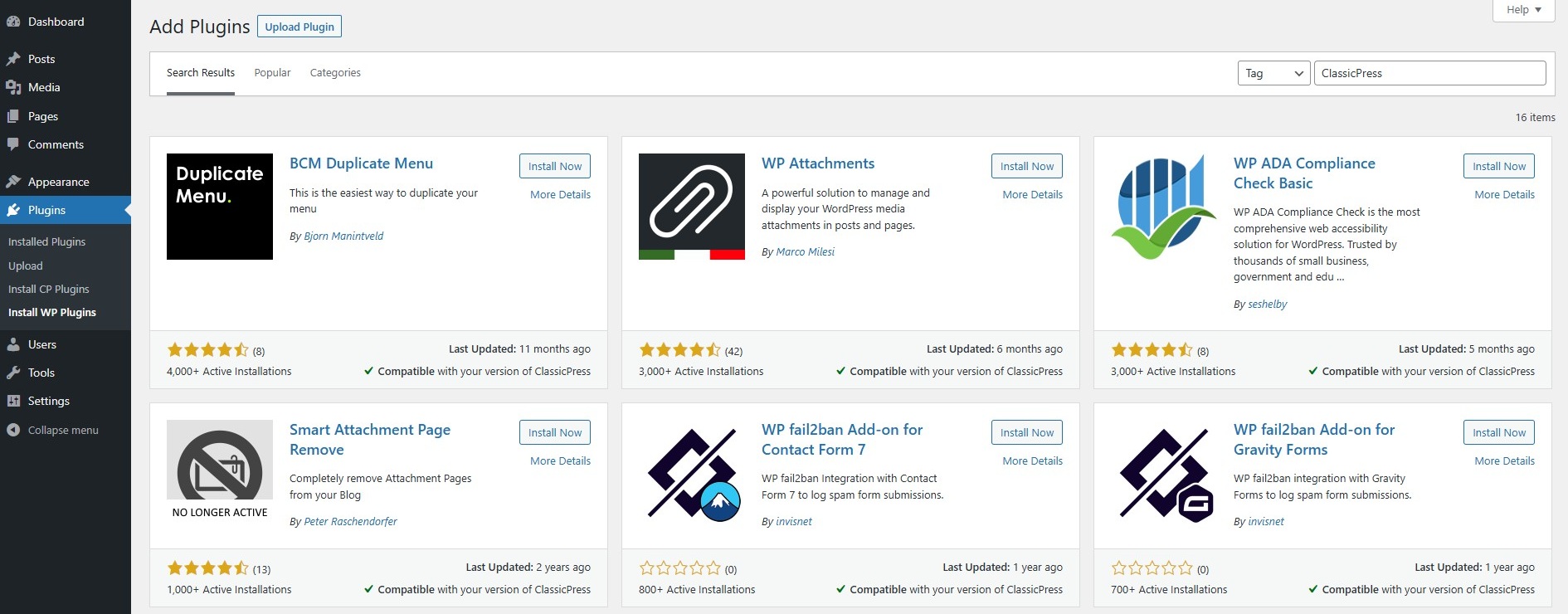
You can find all plugins currently tagged with ‘ClassicPress’ in the WordPress Plugin Repository on this list.
Tags should be included in the plugin’s readme.txt file. Please note that WordPress allows max. 5 tags.
Unfortunately WordPress does not support the ‘ClassicPress’ tag for themes, so in order to make the theme findable you should mention ‘ClassicPress’ in its description.
Blocks and functionsLink to this section
If your plugin or theme requires blocks, has a block-related function, or has a function that requires WordPress 6.3 or higher, it will not work in ClassicPress.
But if your plugin or theme comes with an alternative for blocks or this function, the plugin or theme could be used on a ClassicPress site as well.
For example, a contact form plugin could have a block based form and a shortcode based form. Make sure that in ClassicPress only the shortcode based form is loaded.
Or, if your plugin or theme uses a WordPress function called do_blocks() to output block content, you can use the do_shortcode() function in ClassicPress instead. Obviously this requires the shortcode to be supported by your plugin or theme as well.
To properly load the assets you should always include a check to determine if ClassicPress is being used. This can be done with the ClassicPress specific function called classicpress_version().
Blocks and functions that require WordPress 6.2 or lowerLink to this section
In order to load the block or block-related function only in WordPress, you could use the condition below. Add this to the relevant file, such as your main plugin file or theme file functions.php:
if ( ! function_exists( 'classicpress_version' ) ) {
  // register your block, block-related function, or output block content
}
Blocks and functions that require WordPress 6.3 or higherLink to this section
If the block or function requires WordPress 6.3 or higher (for example when using the Block API version 3 in your plugin or theme), you should add an extra check for WordPress version.
The check for WordPress version is included to avoid a conflict with WordPress 6.2 or lower, because (as mentioned before) to support ClassicPress the Requires at least header must be WordPress 6.2 or lower.
In order to load the block or function only in WordPress, you could use the condition below. Add this to the relevant file, such as your main plugin file or theme file functions.php:
(Change the minimum required WordPress version to your needs, depending on your situation.)
if ( ! function_exists( 'classicpress_version' ) && ( get_bloginfo( 'version' ) >= '6.3' ) ) {
  // register your block, (block-related) function, or output (block) content
}
Create Plugin or Theme for ClassicPressLink to this section
Do you want to create a plugin or theme just for ClassicPress? Even better!
Head over to the ClassicPress docs to find the info that will get you started.
Approved themes and plugins are listed in the ClassicPress Directory, so they become available for all ClassicPress users.