
The Dashboard Updates Screen provides the link necessary to install a “core” ClassicPress upgrade automatically. In addition, this screen provides the ability to upgrade all plugins and themes, active or inactive, that have available updates. For installs that have set the language to a language different from English (United States), you can also install translation updates.
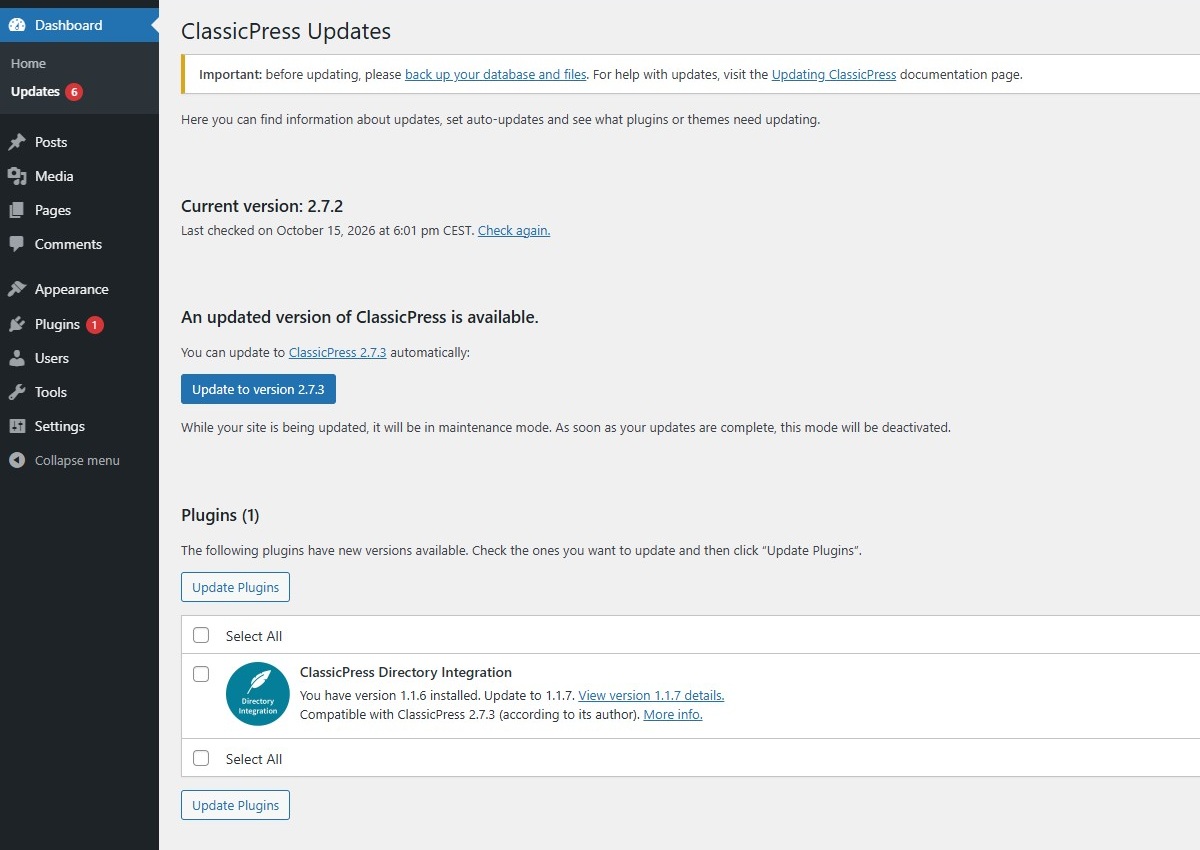
Update CoreLink to this section
Update to version xxx – Press this button to begin the automatic upgrade process. While your site is being updated, it will be in maintenance mode. As soon as your updates are complete, this mode will be deactivated.
The following messages will display during and upon completion of the upgrade:
Downloading update from https://github.com/ClassicPress/ClassicPress-release/archive/xxx.zip
Unpacking the update
Verifying the unpacked files
Preparing to install the latest version
Enabling Maintenance mode
Copying the required files
Disabling Maintenance mode
Upgrading database
Welcome to ClassicPress xxx. You will be redirected to the About ClassicPress screen.
Re-install now – Click to to reinstall the current version. There might be several reasons why you want to reinstall ClassicPress. Maybe you’re having issues with your site or you just want a fresh start.
Once an update is completed
After a successful upgrade is achieved, You will be redirected to the About ClassicPress screen. This is a good time to review any new features about the new version just installed.

Update PluginsLink to this section
If there are updates available for one or more plugins (active and inactive), this message displays:
The following plugins have new versions available. Check the ones you want to update and then click “Update Plugins”.
Additionally a compatibility notification is displayed for each plugin:
- Compatible with ClassicPress xxx (according to its author).
This plugin has included the ClassicPress specificRequires CPheader in its main file. This indicates the minimum required ClassicPress version for the plugin to work. The new version of this plugin will work in ClassicPress (version 2). - Potentially compatible with ClassicPress xxx.
This plugin has not included the ClassicPress specific header. But it does have the WordPress specificRequires at leastheader. This indicates the minimum required WordPress version for the plugin to work. This should be WordPress 6.2 or lower and the new version of the plugin meets this condition. We can use this WordPress specific header because ClassicPress version 2 is based on the WordPress 6.2 branch. The new version of this plugin will probably work in ClassicPress. - Expected compatibility with ClassicPress xxx: Unknown.
This will be displayed for plugins that do not meet one of the conditions above. The new version of this plugin should be tested before using it.
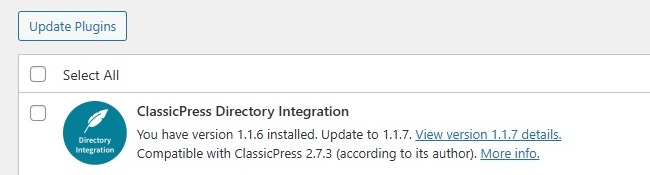
The Plugins screen will also inform you about available updates, but it will not give you information about plugin compatibility.
Update ThemesLink to this section
If there are updates available for one or more themes (active and inactive), this message displays:
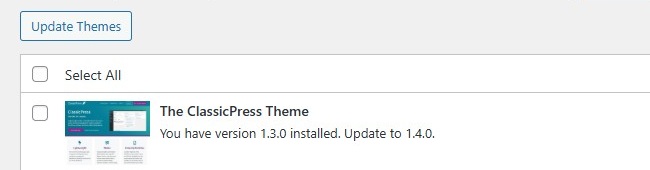
The following themes have new versions available. Check the ones you want to update and then click “Update Themes”.
For themes there’s no compatibility notification. But if the new version of a theme is not compatible with ClassicPress, you will not be able to update it.
Update TranslationsLink to this section
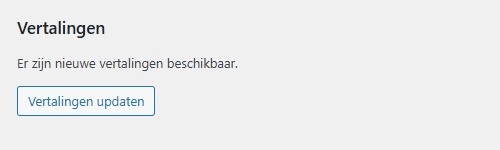
If there are new translations available, this (localized) message is displayed:
New translations are available.
Below this text will be a button with the (localized) label “Update translations”.
When you click the update button, it will tell you which translations are downloaded and installed. Translations for ClassicPress core will be installed in the wp-content/languages folder, while translations for plugins and themes will be installed in their subfolder under wp-content/languages.
MoreLink to this section
For general information about updating ClassicPress you could navigate to the Updating ClassicPress document.
Additionally you could read more on plugins here and more on themes here.