
Do you process personal data?Link to this section
Do you process personal data? For example, do you keep, use, or share your customers’ or visitors’ personal data because you supply goods or services? In most countries you must let your customers know what you do with their personal data and why. You do so with a privacy policy.
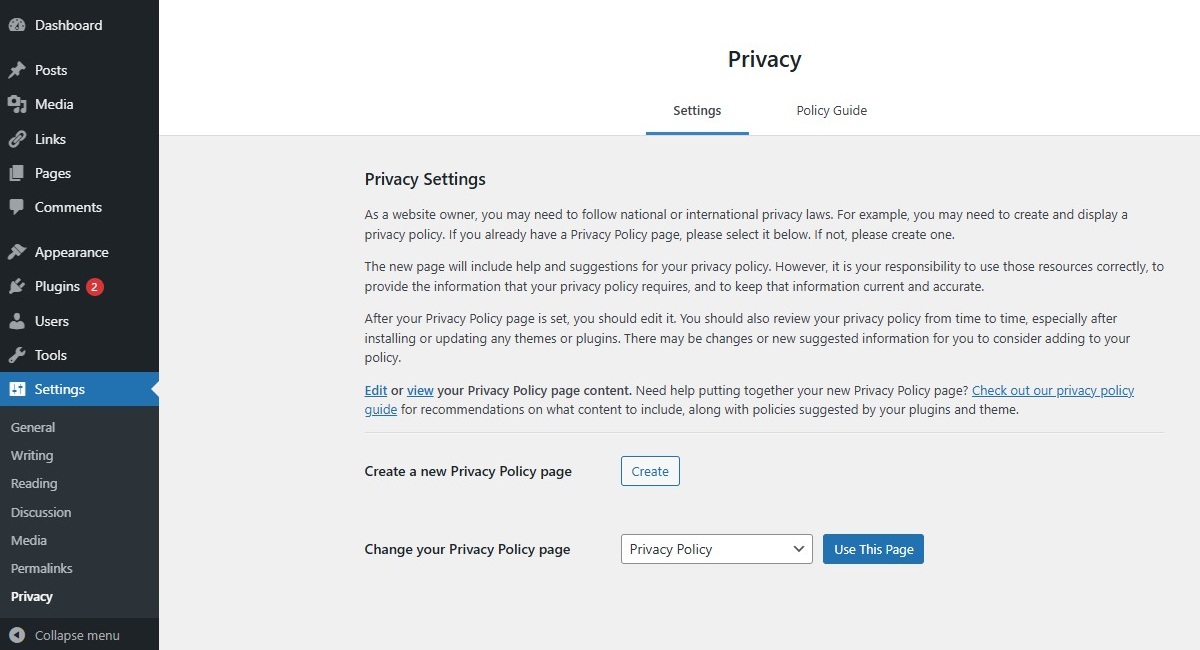
ClassicPress comes with a privacy settings tool. Administrators can create a new page or specify an existing one as privacy policy page of the site.
The new page will include help and suggestions for your privacy policy. However, it is your responsibility to use those resources correctly, to provide the information that your privacy policy requires, and to keep that information current and accurate. Although guidelines between countries will generally be the same, there may always be notable differences.
Using privacy settings toolLink to this section
- Select Settings > Privacy from the administration screen.
- Click “Create New Page” to generate a privacy policy page. Or, select an existing page from the select box and click “Use This Page”.
- If you click “Create New Page”, then template page titled “Privacy Policy” will be opened. Modify the contents and click “Publish”.
Note that this page will be generated in your site language (see the Settings > General screen).
Display Privacy Policy pageLink to this section
The privacy policy page will be shown on your login and registration pages. Notice the bottom link “Privacy Policy”.
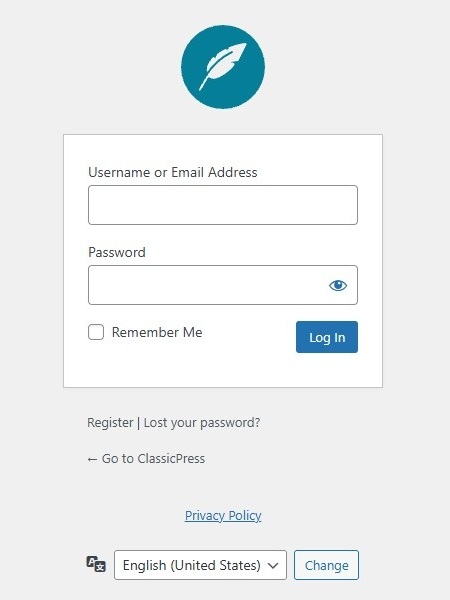
It is your responsibility to create a link to the privacy policy page at the public facing site (e.g. in the footer section).
In fact, our default The ClassicPress Theme and the Twenty Seventeen theme already do so.
To theme developersLink to this section
For users convenience, you should refer these new functions.
get_privacy_policy_url() – Retrieves the URL to the privacy policy page.
the_privacy_policy_link() – Displays the privacy policy link with formatting, when applicable.
get_the_privacy_policy_link() – Returns the privacy policy link with formatting, when applicable.
This example shows how the Twenty Seventeen theme includes the privacy policy in its footer section.
if ( function_exists( 'the_privacy_policy_link' ) ) {
	the_privacy_policy_link( '', '' );
}
(see file twentyseventeen/template-parts/footer/site-info.php)